A forklift operator does not work in the same way as a warehouse picker carrying a handheld scanner. The operator may spend most of the shift inside the vehicle cabin, moving heavy pallets between receiving docks, high-bay storage racks, production areas, and outbound staging zones. Each physical movement must align precisely with a digital transaction in the Warehouse Management System (WMS).
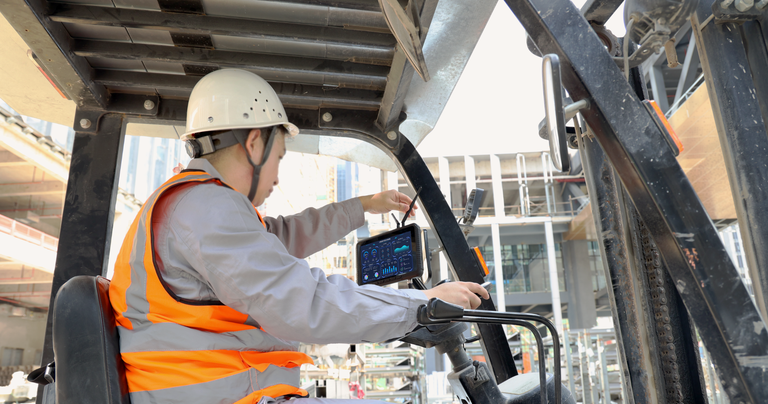
Rugged vehicle-mounted tablet being installed on a forklift to improve warehouse productivity and real-time data access.
Mounted inside the vehicle, a forklift tablet gives the operator real-time access to WMS tasks, inventory locations, and safety instructions without requiring them to repeatedly dismount or return to a fixed desktop station.
However, simply mounting an ordinary consumer-grade tablet on a forklift does not create a reliable enterprise solution. Forklift vibration, severe voltage fluctuations, condensation in cold chains, wireless roaming drops, and safety issues can quickly turn an unoptimized device into an expensive paperweight.
This guide draws on years of warehouse deployment experience to explain how to choose a rugged tablet that survives and excels in real-world materials handling environments.
1. Forklift Power: Surviving Extreme Voltage Fluctuations
Connecting a tablet directly to a forklift’s electrical circuit without industrial power regulation is a recipe for hardware failure. Forklift electrical systems are notoriously noisy environments:
- Electric Forklifts (Lead-Acid & Lithium): These vehicles operate on high-voltage battery systems (typically 24V, 36V, 48V, or up to 80V).
- Voltage Spikes and Dips: When the forklift starts up, or when the heavy hydraulic lift motor engages to raise a 2-ton pallet, the system voltage can dip below 10V or experience massive inductive spikes (surge transients) of hundreds of volts.
Expert Insight: Without a dedicated wide-voltage DC-to-DC converter (supporting at least 9V to 36V or 12V to 48V input with surge isolation), these fluctuations will cause the tablet to repeatedly reboot, freeze, or suffer terminal motherboard damage.
Ensure your vehicle dock or power adapter includes ignition sensing control, which cleanly boots or shuts down the tablet with the key-on trigger to prevent battery drain or abrupt data loss.
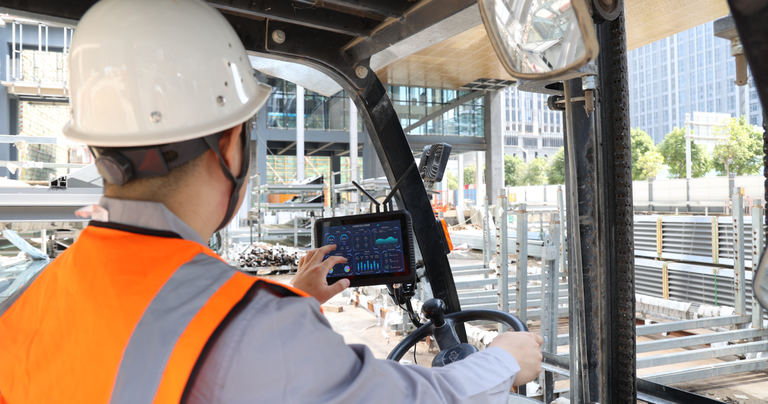
Vehicle-mounted rugged tablet enables forklift drivers to manage inventory, receive tasks, and update warehouse data in real time.
2. Wireless Connectivity: Seamless Roaming with 802.11r/k/v
A moving forklift is a moving wireless client. As it travels at 10 to 15 km/h through high-density metal racks, under high ceilings, and into outdoor loading bays, it must continuously hop from one Wi-Fi access point (AP) to another.
Standard Wi-Fi roaming is often too slow, taking several seconds to re-authenticate. In a fast-paced WMS application, a 2-second drop in connection causes session timeouts, frozen screens, and lost barcode scans, leading to immediate operator frustration.
To prevent this, the rugged tablet’s wireless card must support fast roaming protocols (802.11r, 802.11k, and 802.11v):
- 802.11r (Fast Transition): Speeds up the handshake process, dropping authentication time from over 100ms to under 10ms.
- 802.11k (Neighbor Reports): Helps the tablet identify nearby APs that are good candidates for the next transition, reducing scan time.
- 802.11v (BSS Transition Management): Allows the network to proactively advise the tablet on the best AP to connect to before the current signal degrades.
3. Temperature Transitions: Beating Cold-Chain Condensation
In cold storage or frozen food distribution, forklifts move constantly between the deep freezer (-20°C or lower) and the warmer loading dock (+20°C or higher). This rapid transition creates a physical challenge: condensation.
When a freezing-cold tablet enters a warm, humid dock, moisture instantly condenses on the cold surfaces—not just on the exterior screen, but also inside the chassis on the motherboard, battery terminals, and ports.
Expert Insight: In cold-chain applications, standard IP ratings are not enough. Condensation will bridge electrical traces and short out the device. You must specify tablets with built-in heater elements (vacuum-sealed heated screens and defogging optical bonding) that keep the screen dry and internal temperatures above the dew point.
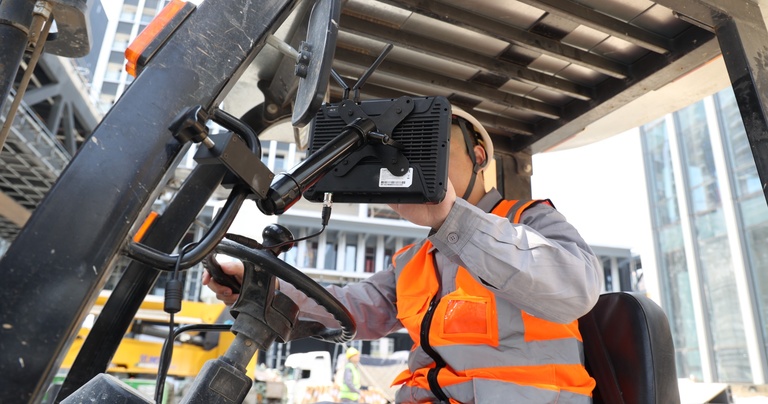
Heavy-duty mounting system keeps the rugged tablet securely installed for continuous forklift operations in demanding industrial environments.
4. Shock and Vibration: Constant Mechanical Stress
Even in warehouses with seemingly smooth concrete floors, a forklift experiences continuous, high-frequency vibration and sharp mechanical shocks. Every time a forklift crosses a metal dock plate, drives over expansion joints, transitions onto ramps, or hits a piece of debris, the shock is transmitted directly through the rigid chassis to the tablet mount.
Consumer tablets will quickly fail as internal ribbon cables rattle loose, USB-C charging ports wear out, and solder joints crack. A proper forklift tablet must have:
- MIL-STD-810H Certification: Verified testing for operational shock and composite-vehicle vibration profiles.
- Heavy-Duty Docks with Pogo-Pins: Never rely on a standard USB cable for vehicle charging. The constant vibration will ruin the port. A heavy-duty vehicle dock with spring-loaded pogo-pins provides a secure, reliable charging connection that tolerates endless vibration.
5. Forklift Tablet vs. Handheld Scanner
| Feature | Forklift-Mounted Tablet | Handheld Mobile Computer |
| Screen | 8″ to 12″ high-resolution displays. Ideal for complex WMS graphics, 3D maps, and multi-field data entry. | 3″ to 5″ displays. Limited to simple text fields and short instructions. |
| Power Source | Continuous vehicle power through a regulated dock. Built-in battery acts as a UPS backup. | Internal battery-powered. Requires swapping or charging during shifts. |
| Ergonomics & Safety | Mounted at eye level to keep the operator’s hands free for driving. Reduces drop risks. | Must be held or holstered. Increases fatigue and risk of dropping while mounting/dismounting. |
| Scanning Options | Supports integrated close-range scanners or tethered/Bluetooth long-range industrial scanners (up to 15m+). | Usually built-in. Standard range is perfect for close picking but difficult for high racks from a seated cab. |
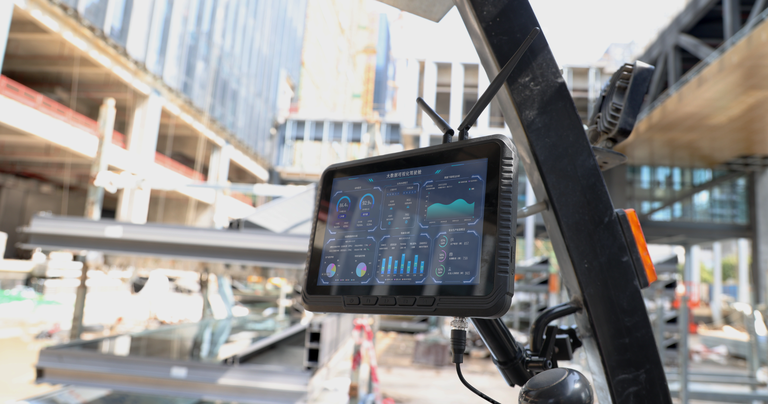
High-brightness forklift mounted computer provides reliable performance for warehouse logistics, fleet management, and material handling.
6. Display and Touch: Glove-Friendliness and Visibility
Warehouses are rarely lit like retail showrooms. Operators deal with dim aisles, bright overhead sodium lamps, and glaring sunlight streaming through open shipping docks.
- Luminance: For indoor use, 500 nits is usually sufficient. If the forklift moves outdoors or works in high-glare loading bays, a high-brightness screen (800+ nits) with optical bonding and anti-reflective treatment is essential.
- Glove Touch: Operators often wear heavy protective or thermal gloves. The touchscreen controller must feature a dedicated “Glove Mode” that adjusts capacitive sensitivity to accurately register input even through thick leather or wool.
7. Windows vs. Android: The Software Core
The choice of operating system dictates your hardware architecture. Each OS serves a different IT ecosystem:
- Windows (10/11 IoT Enterprise): The logical choice if your WMS relies on legacy desktop clients, terminal emulators (VT220/3270), complex ERP integration, or active directory domain management. Windows offers unmatched compatibility with legacy warehouse peripheral drivers.
- Android (Enterprise Recommended): The preferred OS for modern, web-based, or app-centric WMS systems. Android tablets are highly customizable, lightweight to manage via Mobile Device Management (MDM) platforms, and can easily be locked down into single-purpose “Kiosk Mode” to eliminate driver distraction.
Deploy Arrvel for Your Materials Handling Fleet
At Arrvel, we design and manufacture high-performance industrial Windows and Android rugged tablets engineered specifically for demanding forklift, logistics, and fleet management operations. Featuring robust wide-voltage power protection, optimized fast-roaming antennas, anti-condensation screens, and MIL-STD-810H durability, Arrvel devices keep your logistics flowing smoothly.