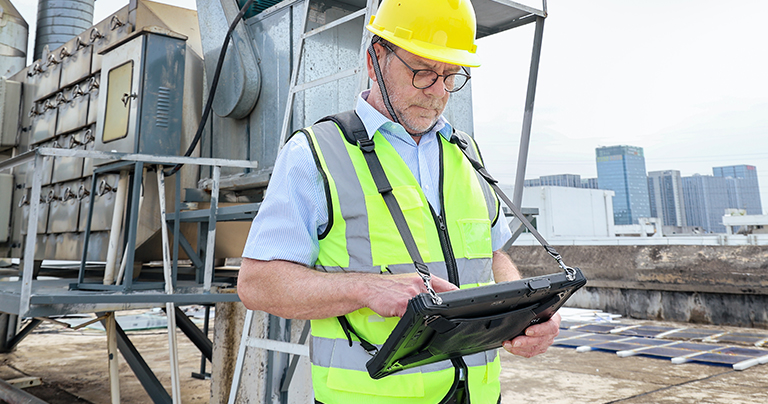
Whether at electrical substations under 50°C (122°F) summer heat, along outdoor oil pipelines during heavy rain, or deep inside mines and underground utility networks with no signal coverage, field technicians and inspection engineers rely on mobile devices to carry out critical digital workflows that keep infrastructure running.
These tasks include work order dispatching, asset inspections, and CMMS data collection.
As a result, many organizations are now adopting rugged tablets for field service, inspections, maintenance operations, and outdoor work environments.
Key Features Service Technicians Should Look for When Choosing a Field Tablet
1. Sunlight Readability: High-Brightness Fully Bonded Display with Anti-Glare Protection
For outdoor work, display visibility is mission-critical.
Field Standard: The tablet should provide 700–1000+ nits brightness and use optical bonding technology to eliminate air gaps between display layers and reduce internal reflections.
Combined with anti-glare reinforced glass, technicians can clearly view detailed GIS maps, utility layouts, and equipment diagrams even under direct midday sunlight.
2. Built for Snow, Rain & Harsh Conditions: Wet Touch + Glove Mode
Field technicians often wear cut-resistant gloves, insulated gloves, or winter work gloves during inspections.
A qualified rugged tablet should support glove touch mode at the firmware level by increasing touch sensitivity for reliable operation with protective equipment.
At the same time, IP65 protection combined with advanced wet-touch technology should allow smooth operation even when the display is covered with rainwater or mud.
The screen should remain stable without false touches or cursor drift.
3. Stay Productive Without Connectivity: Full GNSS Positioning & Offline Workflows
Remote mountains, dams, substations, and underground utility tunnels often have little or no cellular coverage.
Practical Requirement: Professional field tablets should support not only GPS, but also multi-constellation GNSS, including BeiDou, GLONASS, and Galileo.
This improves positioning accuracy even in remote environments.
Equally important, the device should support offline inspection workflows.
Photos, forms, thermal readings, and inspection records should be stored locally during network outages and automatically synchronized once connectivity returns.
No work orders should be lost.
4. Mobile + Vehicle Workflow Integration: Pogo Pin Docking & Hot-Swappable Power
Field technicians constantly switch between driving and on-foot inspections.
The tablet should support hot-swappable batteries, allowing replacement within seconds without shutting down inspection applications.
This enables continuous operation throughout long field shifts.
Inside service vehicles, the tablet should lock directly into a vehicle-mounted Pogo Pin dock.
This provides:
- Fast charging from vehicle power systems
- Secure mounting during vibration and movement
- Optional external antenna integration for stronger communication signals
The result is a seamless transition between vehicle and field work.
Android vs Windows Field Service Tablets
| Feature | Android Rugged Tablet | Windows Rugged Tablet |
| Battery Life | Usually longer | Moderate |
| Mobile Apps | Excellent | Good |
| Desktop Software | Limited | Excellent |
| GPS Workflows | Strong | Strong |
| Cost | Lower | Higher |
| Best For | Field technicians | Engineers / service managers |
Recommendation: The Field Software Ecosystem Determines the Ideal Operating System
Choose Windows Industrial Tablets
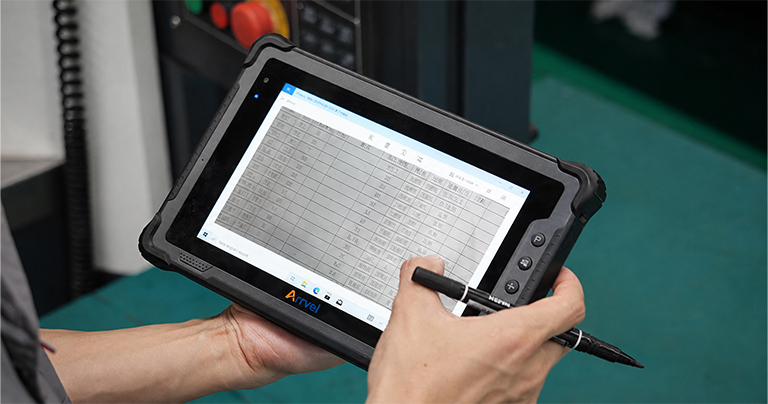
If your field engineers are advanced technical specialists who need to run complex desktop applications on-site, Windows industrial tablets are usually the better choice.
Typical scenarios include:
- Running desktop CAD / GIS software
- Connecting professional instruments for RF analysis, thermal imaging, or vibration diagnostics
- Operating legacy utility or network management software built for Windows environments
- Integrating with specialized hardware and industrial peripherals
Windows provides the advantage of the x86 ecosystem, broad driver compatibility, and strong support for external equipment.
Choose Android Industrial Tablets
If your organization manages a large mobile workforce focused on inspections and maintenance, Android is often the preferred platform.
Typical workflows include:
- SaaS-based work order applications
- Photo documentation and attendance systems
- Mobile inspection checklists
- Standardized field maintenance workflows
Android offers:
- Faster startup times
- Longer battery life
- Better optimization for cameras and barcode scanning
- Lower deployment costs
- Easier large-scale device management through MDM platforms
For highly mobile field service teams, Android often delivers better efficiency and scalability.
Conclusion
For digital field service teams, the best device is never the consumer flagship with the highest specifications.
Only rugged terminals designed around all-weather reliability and all-terrain operation can truly bridge the gap between office systems and harsh outdoor environments—becoming the digital partner field teams can rely on every day.