Walk into almost any warehouse built ten years ago and you will still find the same setup on many forklifts: A fixed forklift computer bolted to the dashboard. A wired barcode scanner. A monitor. A keyboard. And usually a collection of cables tied together after years of repairs.
For years, that setup worked. But warehouse operations have changed.
Today’s warehouses run faster WMS systems, higher rack storage, multi-shift operations, and real-time inventory workflows. Operators are expected to scan pallets, confirm inventory, update WMS tasks, and move between receiving, putaway, replenishment, and yard operations without leaving the forklift.
That is why many warehouses are replacing legacy forklift computers with forklift mounted tablets and vehicle mounted computer systems.
This guide explains what buyers should evaluate before purchasing a forklift computer in 2026.
What Is a Forklift Computer?
It’s a rugged computer built to live inside a forklift cab. You mount it, you run your WMS, and your operators scan barcodes, check inventory, and confirm putaways — all without climbing out of the seat.
On any given shift, teams rely on them for just about everything: knocking out WMS tasks, tracking yard moves, receiving stock, and running cycle counts on the fly.
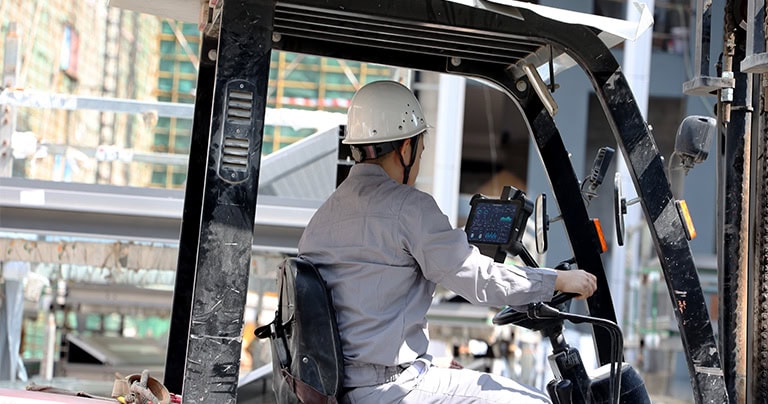
For years, the “classic” setup was a bit of a jigsaw puzzle. You had the vehicle PC doing the heavy lifting, a separate monitor for the operator to look at, a wired scanner for barcodes, a keyboard for typing, and a heavy-duty dock to power it all. You’ll still see this setup everywhere — from massive distribution centers and cold storage facilities to 3PL hubs and cross-docks.
But honestly? That classic setup is starting to feel like overkill. More cables. More connectors. More failure points. Ask almost any warehouse maintenance team and they’ll tell you the same thing: scanners fail, cables loosen, keyboards take abuse, and eventually somebody ends up zip-tying everything back together. Eventually somebody is chasing a loose wire in the middle of a shift. That’s exactly why so many operations are swapping them out today for all-in-one mobile rugged tablets.
Forklift Computer vs Forklift Mounted Tablets
| Feature | Traditional Forklift Computer | Forklift Mounted Tablets |
| Installation | Fixed installation, semi-permanent | Quick-release dock, flexible deployment |
| Scanner | Separate wired scanner | Integrated engine or paired scanner |
| Battery | Vehicle powered only | Hot-swappable batteries |
| Mobility | Locked to one vehicle | Move between forklift, dock, yard |
| Maintenance | Multiple cables and components | Simple device replacement |
| Workflow | Seat-bound operation | Mobile warehouse workflows |
Modern forklift mounted tablets support: Forklift → Receiving → Inventory → Yard Operations.One device can move between workflows.
For warehouse managers, this reduces spare parts inventory and deployment cost.
Vehicle Mounted Computer Systems for Warehouses
Most people hear “forklift computer” and picture a standard counterbalance truck.
In reality, vehicle mounted computer systems are used across almost every type of material handling equipment.
You’ll find them installed on:
-
Reach trucks
-
Electric pallet jacks
-
Yard tractors
-
AGVs (Automated Guided Vehicles)
-
Tugger carts
-
Material handling vehicles
The computer itself is only part of the deployment. Mounting matters just as much. A rugged tablet with the wrong bracket can create more downtime than the device it was supposed to replace.
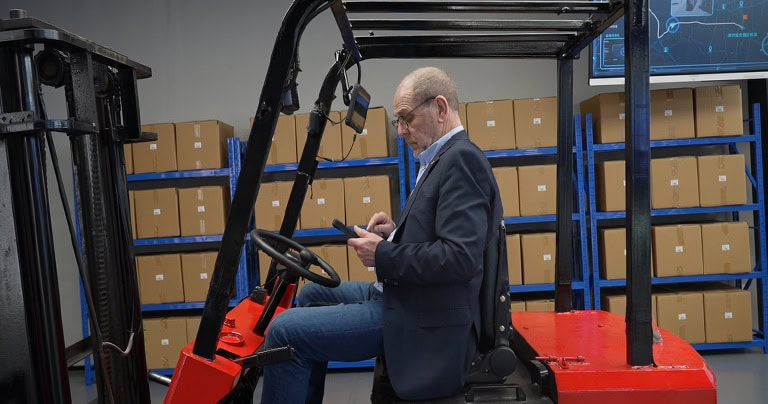
In most warehouse installations, the hardware stack usually looks like this:
Rugged Tablet / Vehicle Computer → Vehicle Dock & Charging System → VESA Mounting Plate → RAM Mount / Swing Arm → Forklift / Reach Truck / AGV
Best Forklift Tablet Mount Options
Most buyers focus on processors, scanners, or operating systems. In real warehouse deployments, the mounting system often has an even greater impact.
Forklifts travel over dock plates, concrete expansion joints, uneven floors, and outdoor yards throughout the day. That constant vibration gradually stresses charging connectors, brackets, docks, and mounting arms. Poor mounting systems frequently cause screens to wobble, charging interruptions, connector wear, cracked brackets, and reduced visibility for operators.
Ultimately, the right mount depends less on specifications and more on how the warehouse operates.
Vehicle Docks + Charging Cradles
The most common setup in multi-shift distribution centers. Tablets remain powered while forklifts stay in operation, eliminating charging interruptions between shifts. If a vehicle requires maintenance, the tablet can be moved to another truck within minutes—ensuring continuous charging, fast replacement, and minimal downtime.
RAM Swing Arm Mounts
Widely used on reach trucks and narrow-aisle equipment. The swing arm allows operators to reposition the display when navigating tight aisles or working around tall racks. This setup improves visibility, ergonomics, and comfort, providing adjustable angles and flexible positioning where operators need it most.
VESA Mount Plates
Ideal for retrofit projects replacing older forklift computer systems. Instead of drilling new holes or modifying vehicle structures, warehouses can reuse existing mounting points. Fully compatible with existing bolt patterns, these mounts reduce installation time, lower retrofit costs, and simplify fleet deployment.
Quick-Release Lock Systems
Designed for shared warehouse devices. Rather than assigning one tablet to a single forklift, operators can move the device between tasks. A single tablet can support:
-
Forklift operations
-
Receiving stations
-
Inventory counting
-
Packing areas
One device. Multiple workflows.
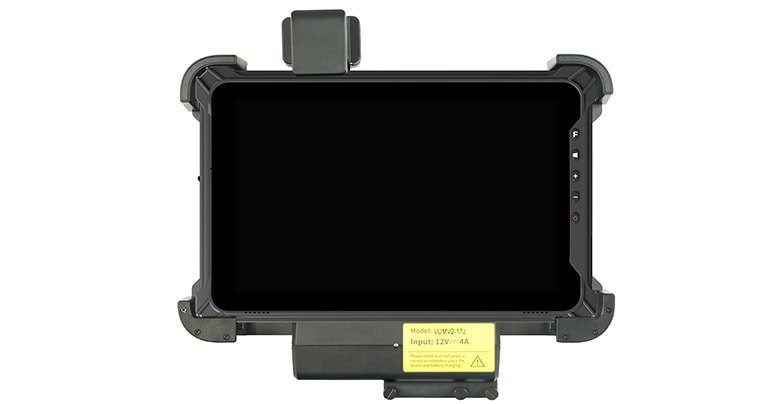
This flexibility is a key reason rugged tablets continue replacing traditional forklift computers. Devices are no longer fixed to a vehicle; the workflow follows the operator, improving efficiency and reducing hardware requirements across the warehouse.
Barcode Scanning and WMS Integration
At the end of the day, a forklift tablet is only as effective as its barcode scanner. If operators spend the entire shift dealing with missed scans, repeated reads, or failed labels, warehouse productivity drops quickly.
In real warehouse environments, scanning is rarely straightforward. Operators deal with constant challenges:
-
Reflections from stretch wrap
-
Torn or damaged labels
-
Frost and condensation in cold storage
-
Long-distance scanning requirements
-
High rack locations
Because of this, a single scanner configuration rarely fits every warehouse workflow. The scan engine should match the environment.
Ground-Level Picking
For close-range scanning and daily warehouse operations, engines such as the Honeywell N4680 provide stable performance for standard labels and picking workflows.
High Racks and Outdoor Yards
Long-range environments usually require scan engines such as the Honeywell EX30 or FM430. These allow operators to capture labels from elevated rack positions or outdoor staging areas without leaving the vehicle.
Cold Storage Operations
Cold environments introduce additional challenges including frost, condensation, gloves, and repeated temperature transitions.
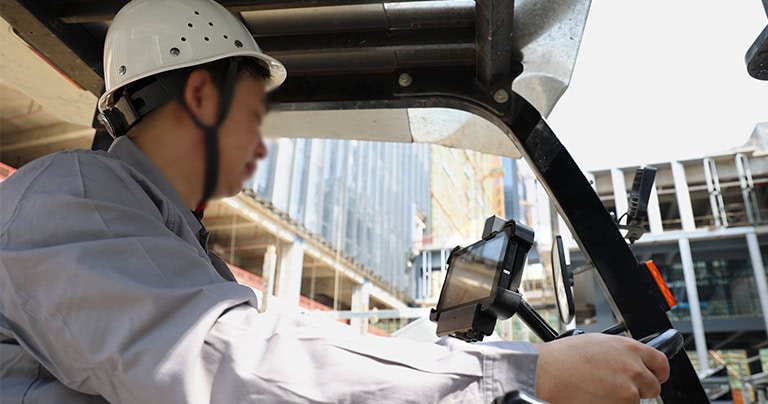
Engines such as the Zebra SE4770 are commonly used in freezer and cold-chain environments.
Selecting the right hardware is only part of the project. WMS integration matters just as much. Many deployments slow down not because of the device itself, but because software validation happens too late.
Before rollout, warehouses should verify how the tablet behaves inside the actual WMS environment. Every platform behaves differently.
-
If you are using SAP EWM, focus on browser performance and SDK compatibility.
-
For Oracle WMS, scanner integration becomes the priority.
-
Cloud platforms such as NetSuite and Odoo usually require validation for web workflows and barcode modules.
Legacy and homegrown systems deserve additional attention. Many older warehouse applications still rely on customized workflows, browser extensions, or offline processes that behave differently from modern cloud platforms.
A practical deployment process usually looks like this:
-
Confirm device compatibility
-
Run a pilot with 2–3 units
-
Test the actual warehouse environment
-
Validate offline workflows and Wi-Fi gaps
-
Expand deployment
When running the pilot, avoid testing with newly printed labels only. Use damaged labels. Wrinkled labels. Stretch-wrapped pallets. Real warehouse conditions. Because those are the labels operators scan every day.
Skipping validation remains one of the most common reasons warehouse deployments get delayed. And once deployment slows down, operations usually slow down with it.
How to Choose a Forklift Computer System
By the time most warehouses start looking for a forklift computer system, they already know the problem they are trying to solve.
Maybe the existing setup keeps failing. Maybe scanners cannot reach high rack locations. Or maybe operators are still working with aging vehicle PCs, wired scanners, and displays that have survived years of vibration. The challenge is usually not whether to upgrade. It is selecting the right system.
When comparing solutions, specifications still matter. But warehouse deployments usually evaluate them through operational requirements rather than product sheets.
-
Protection and durability come first. Warehouse environments expose equipment to vibration, dust, dock areas, moisture, and occasional impacts. For most deployments, IP65 / IP66 protection together with MIL-STD-810H has become the baseline.
-
Display and battery performance matter next. Forklifts frequently move between indoor aisles, loading docks, and outdoor yards. Displays around 700–1000 nits improve visibility, while hot-swappable batteries help maintain operation during shift changes.
-
Mounting and scanning directly affect workflow efficiency. Many warehouses prefer integrated barcode scanners together with rugged vehicle docks and RAM mounting systems to reduce external devices and cable management.
-
Software and connectivity are equally important. Modern deployments increasingly target Android 14 / 15, Wi-Fi 6, and 802.11r fast roaming to support continuous movement across warehouse zones.
When discussing projects with suppliers, warehouse teams need to look past the datasheets and ask practical, hard-hitting questions: Has the device actually passed independent vehicle vibration testing? Is the mounting system genuinely suitable for forklift deployment, or will it shake loose in a month? Has WMS compatibility been validated? Does the scanner support high-rack workflows from the driver’s seat? And finally, is OEM customization available?
For larger deployments, the discussion changes entirely. Projects above 15–20 units frequently move away from off-the-shelf hardware and start evaluating tailored solutions—looking into preloaded WMS environments, RFID integration, customized vehicle docks, private labeling, and custom firmware to lock down the OS.
Because in warehouse environments, the computer is only one part of the project. The workflow built around it matters just as much.
FAQ
What is the difference between a forklift computer and a vehicle mounted computer?
In practice, the difference is mostly application. A forklift computer is essentially a vehicle mounted computer (VMC) configured specifically for forklift deployment. Vehicle mounted computers are the broader category—they are designed to handle industrial vibration, vehicle power systems, and long operating hours across all material handling equipment, whether that’s a standard forklift, a reach truck, a yard tractor, a pallet vehicle, or an AGV.
Are forklift mounted tablets replacing traditional forklift computers?
Many warehouses are moving in that direction. Traditional installations require a lot of separate hardware—a vehicle PC, a display monitor, a keyboard, and a wired scanner. Rugged tablets combine scanning, display, battery backup, and mobility into a single device. This eliminates a massive mess of external hardware, simplifies deployment, and heavily lowers maintenance requirements.
Which scanner is recommended for high-rack operations?
For long-range warehouse scanning, the Honeywell EX30 is one of the most common and reliable options. High-rack environments require operators to scan elevated labels quickly and accurately without leaving the vehicle, and a dedicated long-range scan engine is exactly what supports that workflow.
What mount is most suitable for forklifts?
There is no universal answer because deployment depends entirely on your specific workflow. However, the most trusted industry configuration is a Vehicle Dock paired with a RAM Swing Arm and a VESA Mount. The dock handles continuous charging and device retention, the swing arm improves operator visibility and ergonomics, and the VESA system simplifies installation during retrofits. As a rule of thumb, industrial mounting systems should always be preferred over cheap, consumer-grade brackets.
Can forklift computers integrate with our WMS?
Yes. Modern rugged tablets natively support all the major platforms, including SAP EWM, Oracle WMS, NetSuite, and Odoo, as well as customized warehouse software. The hardware handles the apps easily, but before committing to a large deployment, we always recommend running a 2–3 unit pilot on your floor to validate scanner integration, browser behavior, offline workflows, and Wi-Fi roaming performance. Validating these points before rollout is the single best way to reduce deployment risk.