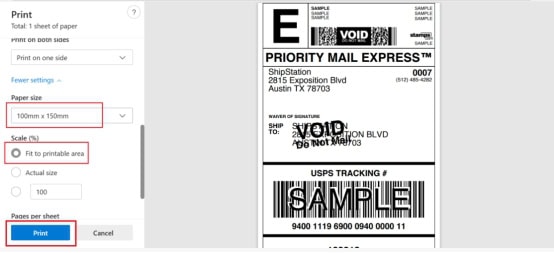
How to Print a 4×6 inches Shipping Label on the Pirate Ship Platform?
1. Prepare your printer , ensuring the label printer is correctly connected to your device and that the necessary drivers are installed. Refer to the printer user manual for installation assistance if needed.
2. Visit the Pirate Ship
Log in to your Pirate Ship account, either through the website or the app. Navigate to the section for generating or storing shipping tags.
3. Windows Print Settings
For detailed steps on setting up a printer in the Windows version of Pirate Ship (including selecting tab sizes for different web browsers , troubleshooting, etc.), please refer to the official Pirate Ship user guide:
https://support.pirateship.com/en/articles/2610080-windows-how-to-print-with-a-4×6-label-printer
4. Print your labels
After confirming the settings, select the print option in “Pirate Ship”. Ensure the label paper is correctly loaded into the printer, and then continue printing.
5. Print your labels
For mobile devices:
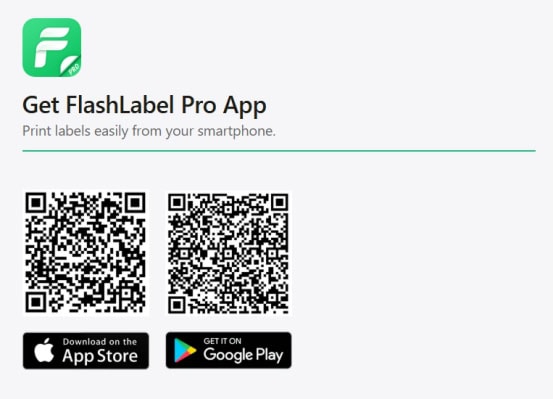
Print labels on your phone using the “Flashlabel Pro” app. Search for “Flashlabel Pro” on the App Store or Google Play to download the app.
Alternatively, you can scan the provided QR code to download the app.
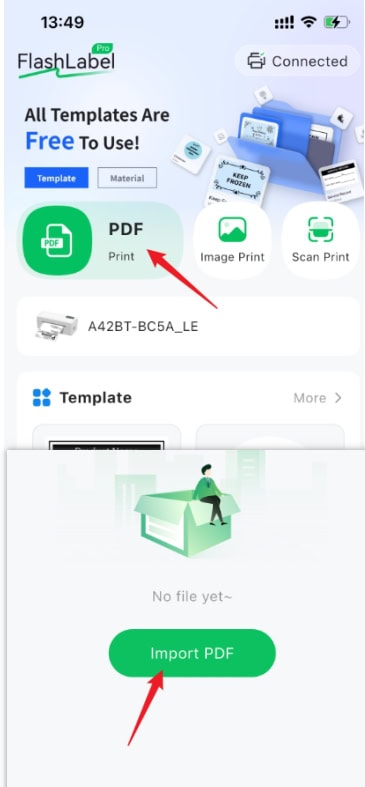
Import your PDF into the application and then print it.
Tips:
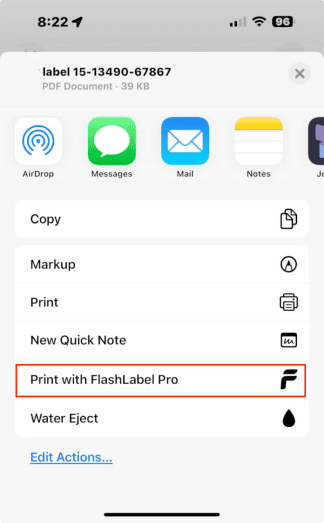
If you’re using an iPhone, on eBay, tap “Save Label” and scroll down—you’ll see the “Print with FlashLabel Pro” option (see screenshot). You can print directly from here without saving the PDF or image first.
For Mac:
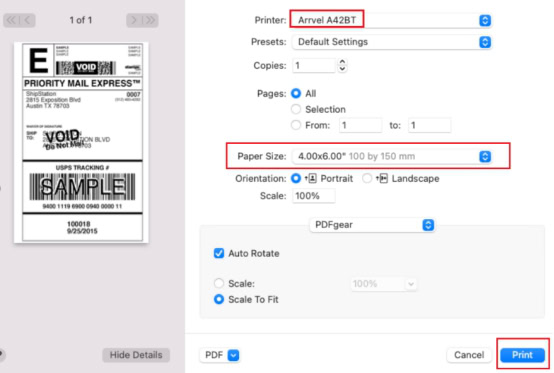
1. In the print preview interface, select the Arrvel A42BT printer.
2. Select paper size: 4 x 6 inches
3. Click Print
For Windows:
1. In the print preview interface, select the Arrvel A42BT printer.
2. Select paper size: 100×150mm
3. Click Print.