Why Is the Printer Not Listed in the System Printer List?
For Windows systems:
Note: First, identify the USB port your computer has assigned to the printer.
Steps:
1. Locate the USB printing support or printer name in Device Manager.
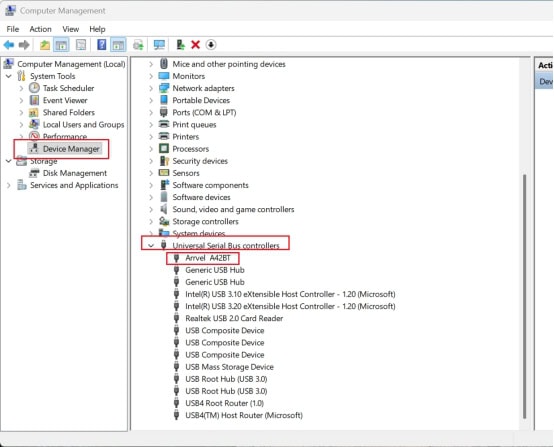
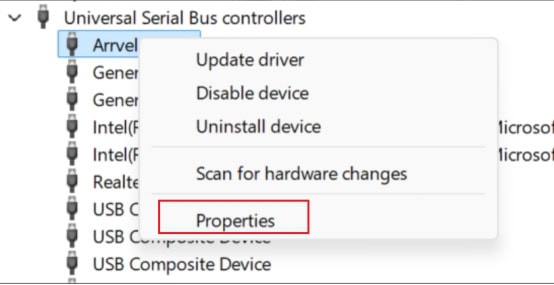
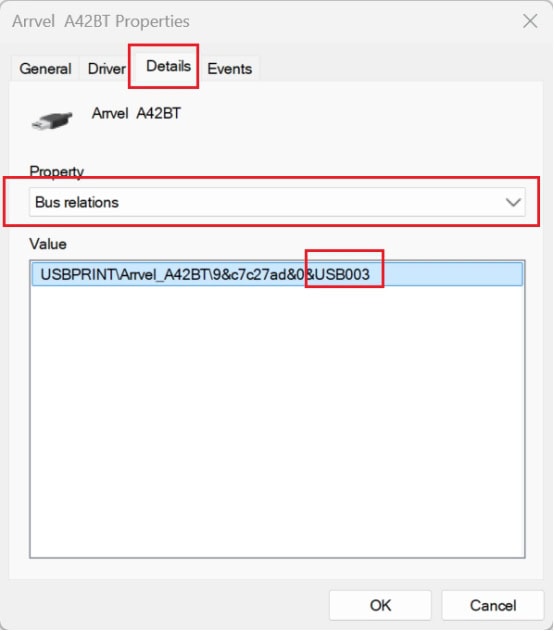
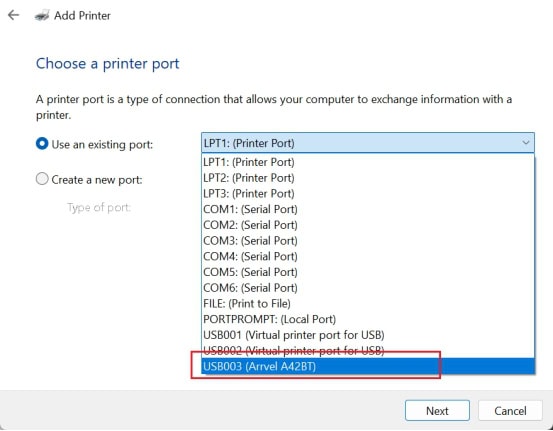
2. Follow these steps to check the USB port number assigned to your computer’s printer. For example, your computer might assign the printer USB003.
3. In the settings, under “Bluetooth & devices“, follow these steps to find “Add a pinter” and click it.
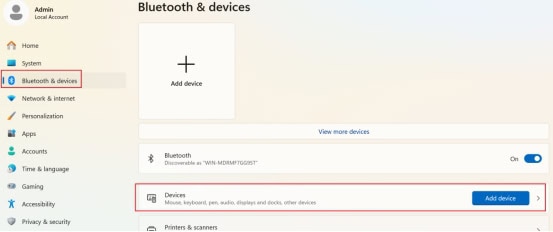
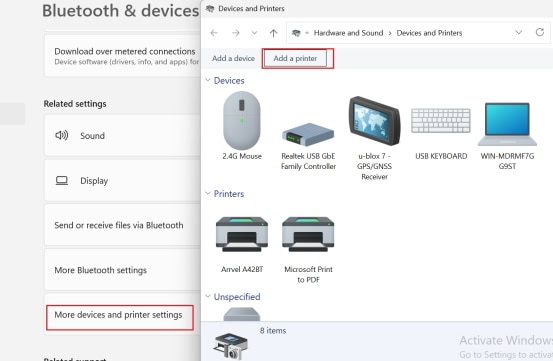
4. Enter the “Add a printer” interface
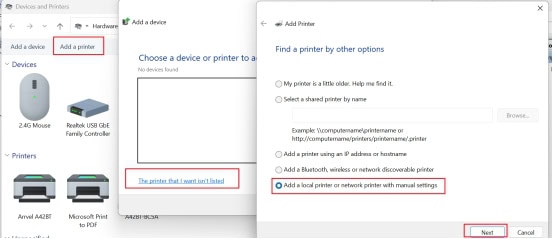
5. Select the port number assigned to the printer (e.g., USB003), and then click “Next“.
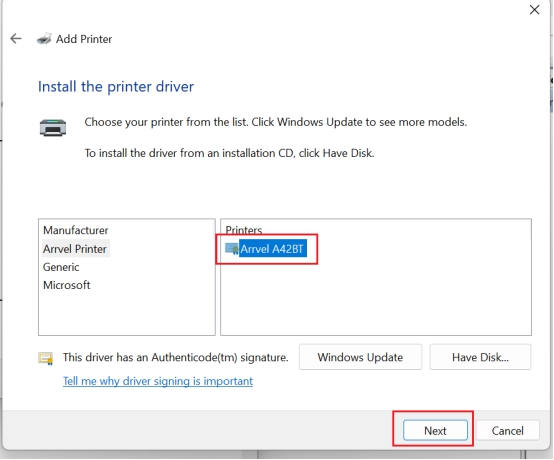
6. Select the printer driver “Arrvel A42BT” and click “Next”. Continue clicking “Next” to complete the printer setup until finished.
For MAC:
If your printer is not detected on your Mac, please follow these steps.
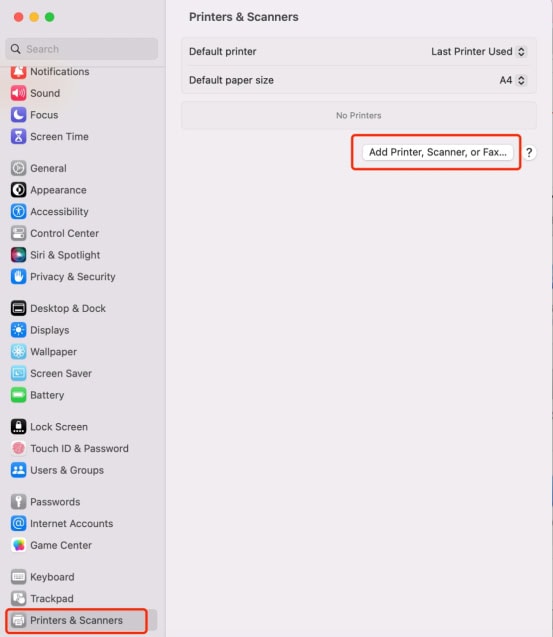
1. On your Mac, open “System Settings” and select “Printers & Scanners“. Click “Add Printers, Scanners, or Fax...”.
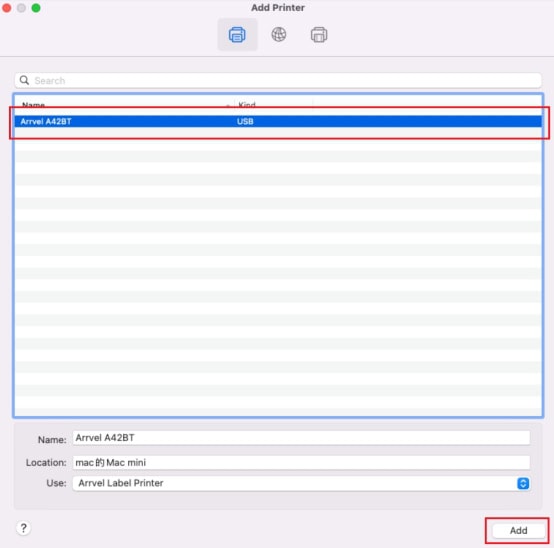
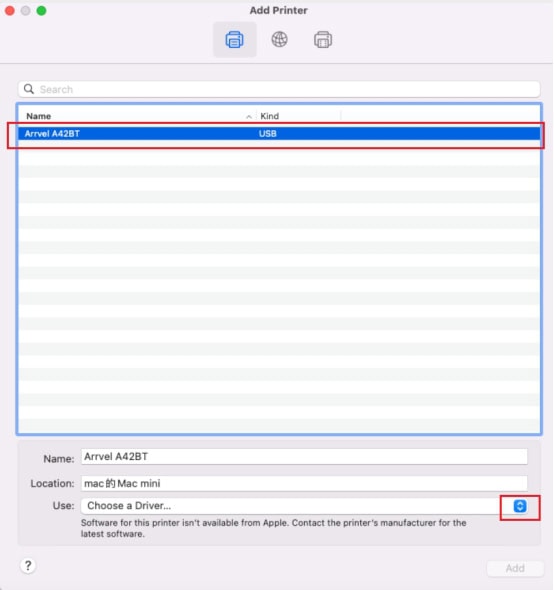
2. In the next window, select the Arrvel A42BT label printer, and then select “Select Software” from the Select Driver drop-down menu.
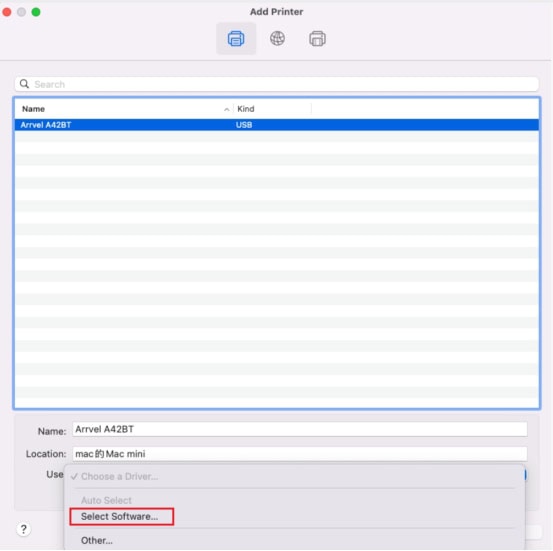
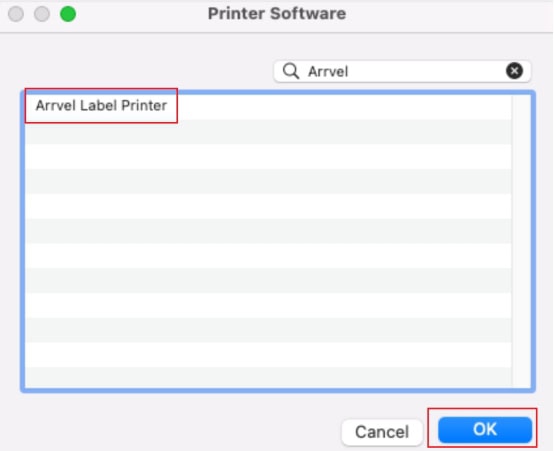
3. Search for “Arrvel Label Printer” , select it, and then click “OK“.
4. Click “Add“, and the printer will appear on your Mac.