Construction sites are hard on mobile devices. Fine dust from concrete cutting, unexpected rain, vibration from machinery, direct sunlight, and long shifts can quickly expose the limitations of a standard tablet.
At the same time, tablets have become part of everyday site operations. Project managers review documents and progress updates. Engineers access drawings and technical information. Inspectors complete digital forms and attach site photos. Material teams scan equipment, tools, and incoming components.
When the same device is used throughout the working day, durability becomes more than a hardware specification.
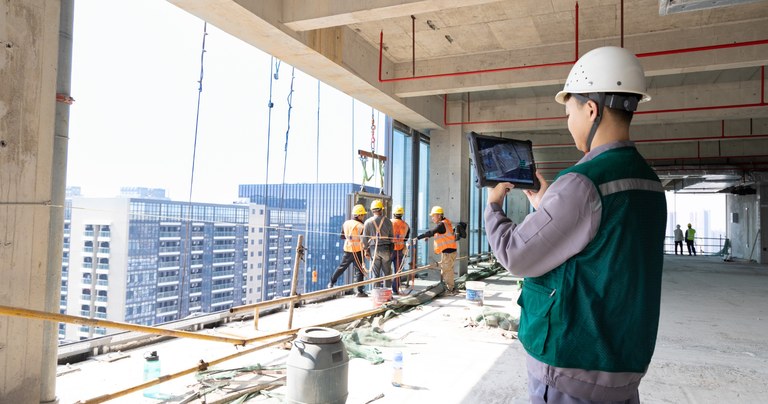
Rugged tablet used for real-time construction site inspection and project monitoring.
A damaged charging port or unreadable screen can leave a worker without access to drawings, inspection records, or project systems. This is one reason construction companies often evaluate a purpose-built rugged tablet for construction instead of relying only on consumer devices.
So, what should you look for in a construction tablet? The answer depends on where the device will be used, what software it needs to run, and how workers interact with it in the field.
Why Consumer Tablets Can Be Difficult to Use on Active Job Sites
Consumer tablets are designed primarily for relatively controlled environments. A construction site presents a different set of problems.
A device may be used beside concrete equipment in the morning, carried through a dusty work area in the afternoon, and left inside a site vehicle exposed to vibration for several hours.
Drops are also difficult to avoid. Tablets are placed on toolboxes, vehicle seats, temporary work surfaces, and equipment platforms. Workers may need to operate them while wearing gloves or moving between different sections of a project.
Adding a protective case can help with minor impacts, but it does not necessarily address sealed ports, internal vibration resistance, high-brightness displays, or industrial interfaces.
For companies deploying devices across multiple construction teams, these details affect maintenance requirements and long-term device availability.
1. IP65 Protection for Dust and Outdoor Work
Dust is a constant issue in many construction environments.
Concrete cutting, drilling, demolition, and earthmoving can produce fine airborne particles. These particles may reach speaker openings, charging ports, connectors, and other exposed areas of a mobile device.
The IP rating should therefore be one of the first specifications reviewed when selecting a tablet for construction use.
An IP65-rated rugged tablet is dust-tight and protected against water jets under the conditions defined by the IP rating standard. For construction teams, this type of protection can be useful when devices are regularly exposed to dust, mud, rain, or water splashes.
Typical applications include: Road construction,Building inspections, Utility installation, Infrastructure projects, Equipment maintenance, Outdoor site inspections, the required IP rating should always be matched to the actual environment. IP65 may be suitable for many construction applications, while more demanding exposure conditions may require a different protection level.
2. MIL-STD-810H Testing for Drops and Vibration
A construction tablet may spend much of its working life being carried between job areas, mounted in a vehicle, or used close to heavy equipment.
That means drops, shock, and vibration need to be considered during hardware selection.
Many rugged tablets are tested to selected methods and procedures from MIL-STD-810H. Depending on the manufacturer and product, testing may cover environmental stresses such as: Drops, Mechanical shock, Vibration, High and low temperatures, Humidity, Temperature changes.
Procurement teams should review the specific test information provided for the device rather than relying only on the phrase “military grade.”
This is especially important for larger deployments. If a contractor is purchasing tablets for multiple sites or field teams, differences in enclosure design and durability testing can affect replacement rates and total cost of ownership.
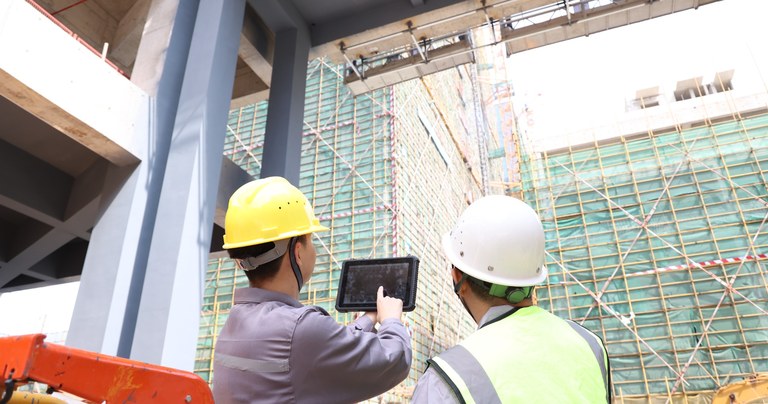
Construction teams use rugged tablets to access project data and coordinate field operations.
3. A Sunlight-Readable Display Matters Outdoors
Display brightness is easy to overlook when testing a tablet indoors.
A screen that looks clear in an office may be much harder to read under direct sunlight. On a construction site, workers may need to review detailed information without access to shade.
Common tasks include viewing: Digital drawings, Floor plans, BIM information, Inspection checklists, Equipment records, Safety documents, Work orders.
For regular outdoor use, a high-brightness display should be considered. Rugged tablets with 700-nit or 1000-nit displays are available for applications where daylight readability is important.
Brightness is not the only display consideration. Screen coating, viewing angle, touch performance, and the software interface can also affect usability outdoors.
When evaluating the best tablet for construction workers, it is worth testing the display under the same lighting conditions workers experience on site.
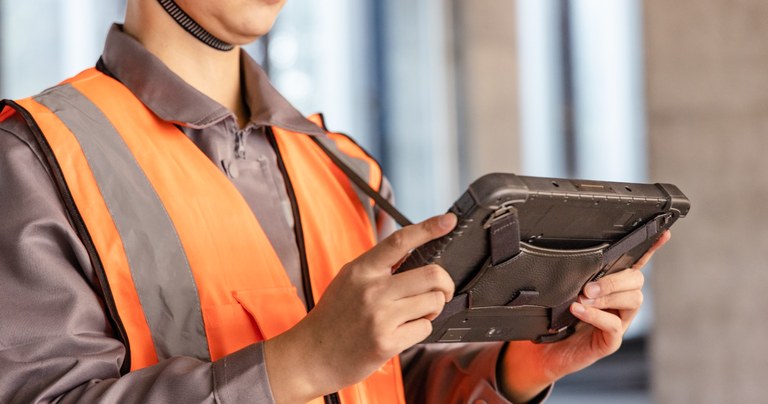
Heavy-duty tablet built for demanding construction and outdoor field workflows.
4. Windows or Android: Choose Based on the Software
There is no universal answer to whether Windows or Android is better for construction.
The operating system should be selected according to the applications and IT environment already used by the company.
Windows Rugged Tablets
A Windows rugged tablet is often selected by engineers, project managers, technicians, and other users who need access to Windows-based applications.
Possible use cases include: CAD and drawing applications, Windows-based construction software, Enterprise ERP systems, Equipment diagnostic tools, Browser-based project platforms, Proprietary Windows applications.
Windows 11 Pro devices may also fit more easily into an existing Windows-based IT environment.
Before purchasing, companies should check the actual processor, memory, storage, and graphics requirements of the software they plan to use. A tablet used mainly for document viewing has very different performance requirements from one used for large CAD files.
Android Rugged Tablets
An Android rugged tablet is often used for focused mobile workflows. Examples include: Digital inspection forms, Safety checklists, Asset tracking, Barcode scanning, Material management, Equipment records, Mobile workforce applications.
Android can be a practical choice when workers use a limited number of dedicated applications throughout the day.
The main question is not which operating system is better. It is whether the tablet can reliably run the software required for the job.
5. Integrated Barcode Scanning for Materials, Tools, and Assets
Large construction projects may involve thousands of tools, components, equipment assets, and incoming materials.
Manual data entry takes time and can introduce errors, particularly when workers need to record long asset numbers or material codes.
A construction tablet with an integrated 1D/2D barcode scanner can support tasks such as: Material receiving, Tool tracking, Equipment inventory, Asset identification, Component verification, Warehouse-to-site transfers, Maintenance record lookup.
For example, a worker receiving materials can scan an item and update the relevant inventory or project system from the same device.
Dedicated industrial scanning modules from manufacturers such as Honeywell and Zebra are commonly integrated into rugged mobile devices. Compared with general-purpose camera scanning, a dedicated scanner may be more suitable for frequent barcode capture and challenging barcode conditions.
The scanner still needs to be matched to the application. Barcode size, scanning distance, code type, and label condition should all be considered before choosing a scanning engine.
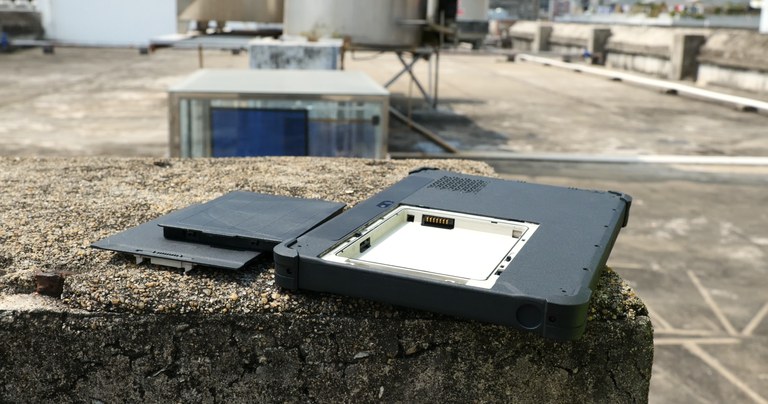
Removable battery design supports extended work during outdoor construction operations.
6. Battery Design for Long Construction Shifts
Not every construction site provides convenient access to charging points.
A tablet may be used continuously for inspections, documentation, communication, and data entry throughout a long shift. Battery runtime therefore needs to be evaluated under actual working conditions.
Screen brightness, mobile network use, GPS, barcode scanning, and processor load can all affect battery life.
For multi-shift operations, selected rugged tablets use a hot-swappable battery design.
These devices typically include a secondary or bridge battery that keeps the system running for a limited period while the main battery is replaced.
This can help support continuous operation in applications such as: Multi-shift construction projects, Infrastructure maintenance, Remote field work, Equipment inspection, Surveying operations.
Hot-swapping can reduce charging-related interruptions, but companies should also consider spare battery management and charging procedures when planning a deployment.
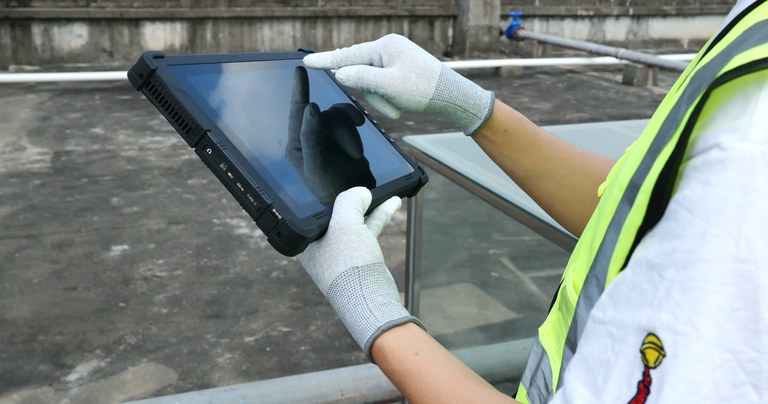
Rugged tablet designed for glove operation in demanding construction environments.
7. Connectivity Across Large Construction Sites
Construction sites vary significantly in size and network coverage.
Some projects have reliable site-wide Wi-Fi. Others depend on mobile networks once workers move away from the field office.
Depending on the application, a rugged tablet may require: Wi-Fi, 4G LTE or 5G connectivity, Bluetooth, GPS, USB, USB Type-C, RJ45 Ethernet, RS232 or RS485.
Mobile connectivity can be useful when workers need to access cloud-based project systems away from a Wi-Fi network.
GPS may be required for mapping, location-based field applications, or geotagging site information.
Industrial interfaces are more application-specific. RJ45 can be useful for wired network connections, while RS232 or RS485 may be required when connecting to selected industrial equipment or legacy systems.
A tablet with more ports is not automatically better. The correct interface configuration depends on the equipment and software used on site.
8. Glove Touch and Stylus Input
Construction workers often wear protective gloves, which can make a standard touchscreen difficult to operate.
If workers need to enter information without repeatedly removing their gloves, a tablet with glove touch support should be considered.
Stylus support may also be useful for: Digital signatures, Drawing annotations, Inspection notes, Marking plans, Adding notes to site photos.
Not every construction role requires the same input method.
A warehouse or material worker may prioritize fast barcode scanning. An inspector may need accurate form input. An engineer reviewing plans may benefit more from stylus support.
These workflow differences should be included in the device evaluation process.
Rugged Tablet vs. Consumer Tablet for Construction
| Feature | Purpose-Built Rugged Tablet | Standard Consumer Tablet |
| Dust and Water Protection | IP65-rated models available | Protection varies by model |
| Drop and Vibration Design | Reinforced design and environmental testing available | Primarily designed for consumer use |
| Outdoor Display | 700–1000 nit options available | Brightness varies |
| Barcode Scanning | Integrated industrial scanners available | Usually relies on camera or external scanner |
| Battery Options | Hot-swappable designs available on selected models | Usually internal battery |
| Industrial Interfaces | RJ45, RS232, or other interfaces available on selected models | Limited industrial connectivity |
| Vehicle Integration | Docking and mounting options available | Often requires third-party accessories |
A consumer tablet may still be suitable for office-based project management or controlled indoor environments.
For workers regularly operating on active job sites, a rugged tablet offers hardware features specifically designed for industrial and field use.
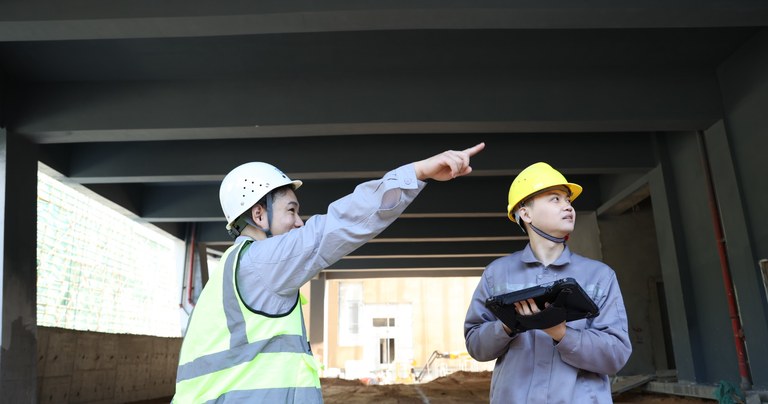
A rugged tablet helps construction workers manage inspections and field tasks on site.
Recommended Specifications for a Construction Tablet
There is no single specification that fits every construction project.
However, procurement teams can use the following as a starting point:
- Protection: IP65 or an IP rating appropriate for the working environment
- Durability: Tested to relevant MIL-STD-810H methods and procedures
- Operating System: Windows 11 Pro or Android based on software compatibility
- Display: 700 nits or higher for frequent outdoor use
- Memory: 8GB RAM or higher depending on the application
- Storage: 128GB or higher based on file and software requirements
- Connectivity: Wi-Fi and Bluetooth
- Mobile Network: 4G LTE or 5G when field connectivity is required
- Positioning: GPS for mapping and location-based applications
- Data Capture: Integrated 1D/2D barcode scanner when required
- Battery: Long-runtime or hot-swappable battery options
- Input: Glove touch or stylus support based on the workflow
- Expansion: Vehicle dock, charging dock, RJ45, or serial interfaces when required
The final configuration should be based on the software, environment, and daily tasks of the construction team.
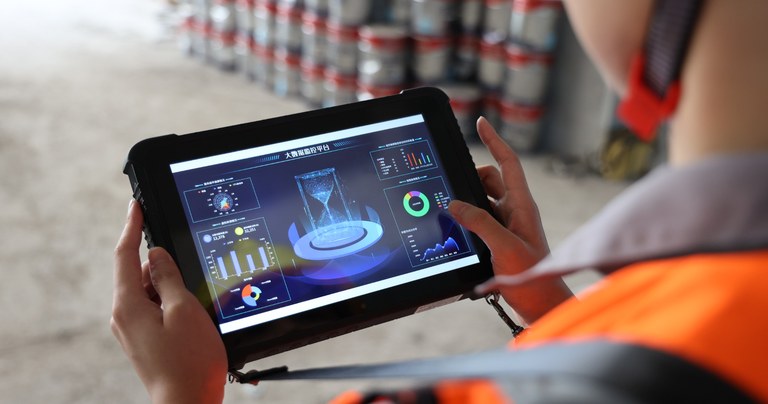
Rugged construction tablet supporting project monitoring and real-time field data access.
How to Choose the Best Tablet for Construction Workers
Before ordering devices, it helps to document how each group of workers will use the tablet.
Ask the following questions:
Will the tablet be used mainly indoors or outdoors?
Does the required software run on Windows or Android?
How bright does the display need to be?
Do workers wear gloves while using the device?
Is barcode scanning part of the daily workflow?
Is 4G LTE or 5G connectivity required?
Does the application use GPS?
Are RJ45 or serial interfaces needed?
How long is a normal working shift?
Will the tablet be mounted in a vehicle or construction machine?
The best tablet for construction workers is not necessarily the model with the highest processor specification.
A site inspector may need a portable Android device with GPS and mobile connectivity. An engineer using Windows applications may need more processing performance and memory. A material management team may prioritize an integrated barcode scanner.
Matching the hardware to the job is more important than selecting one configuration for every department.
Find the Right Rugged Tablet for Your Construction Project
Construction tablet requirements vary by job role and field workflow. A site inspector may prioritize portability, GPS, and mobile connectivity, while an engineer working with Windows-based applications may require higher processing performance and additional interfaces.
Arrvel offers Windows and Android rugged tablets for construction, inspection, material tracking, equipment maintenance, and other field applications. Available configurations include high-brightness displays, integrated barcode scanners, mobile connectivity, and selected models with hot-swappable battery designs.
If you are evaluating rugged tablets for a construction project, contact Arrvel with your software requirements, working environment, required interfaces, and expected deployment quantity. Our team can help identify a suitable hardware configuration.